
Total Conquest Command Types
What the cards actually do — strike orders, production orders, movement orders, and the rules that decide when each one fires.
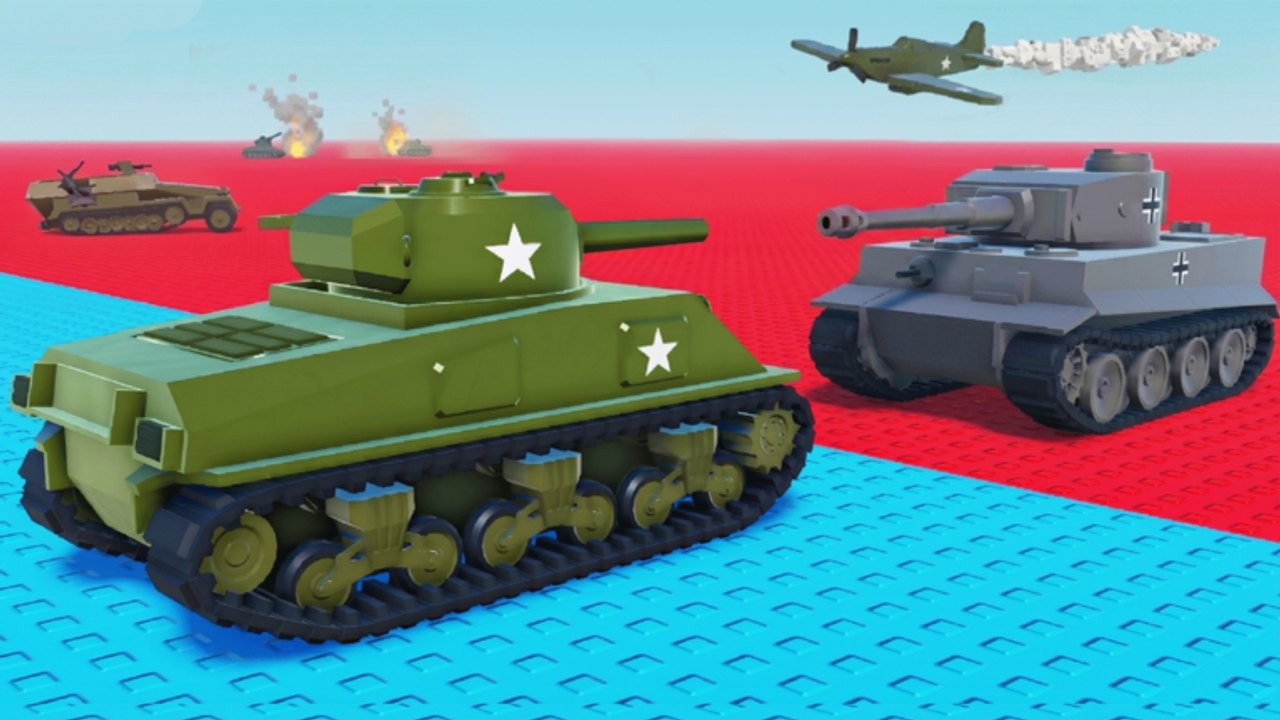
Total Conquest commands are the extra layer on top of tile sends. Public roundup sites describe them as missiles, mortars, Navy SEALs, and similar strike units that you fire at an enemy region. Production and movement orders exist as well. This page names the card families that are confirmed across public roundups and recorded matches, and tells you which job each one is good for. It is not a fake Pokédex of invented names; if a card title is opaque, the command roster bucket table sorts it for you.
Strike commands
These fire a one-shot effect at a region. They share one rule: only on a city you are about to enter this cycle.
| Card family | What it does on the HUD | When to fire |
|---|---|---|
| Missile / bomb | Shrinks the garrison on a target region | Bomb a city your stack is walking toward |
| Mortar barrage | Area strike on a region | Same rule as missiles; mortar is wider, missile is sharper |
| Navy SEALs raid | Ground strike on a chosen urban tile | Same rule; raid flavor tends to favor cities |
| Air strike / paratroopers | Airborne strike on a region | Same rule; air cards usually mean a stack of attackers dropping in |
| Sabotage | Disrupts production on a tile | Fire on a city the rival is actively collecting |
Strike rules are universal: target a city, follow with a send, do not fire on countryside. The missiles guide is the deep dive on targeting and timing.
Production commands
Production orders look boring in a first-look video. They win maps. They boost output on the city you already own.
- City bonus. Doubles or triples collect on a single city you hold. Fire on the city you will still own in two minutes.
- Region bonus. Smaller boost that works on countryside too. Use it on a buffer tile between your cities.
- Recruit surge. Spawns an extra stack on a city. Park it on your safest city, then use the troop-split planner to send overflow.
The army hub explains why production on a city beats a one-shot strike in the long run.
Movement commands
Movement orders change how your army walks.
- Forced march. Speeds up an in-flight stack. Use it on a siege that is racing a rival reinforcement.
- Redirect. Lets you reroute a stack mid-flight. Aim toward a city, not a loud fight on empty land.
- Rapid deployment. Drops a fresh stack on a city you own. Useful when you are the map leader and need to react to a counterattack.
Movement orders are not a license to walk your garrison across the map. Keep the floor. Move the overflow.
Defense commands
Defense orders sit on a city to make it harder to take.
- Shield / fortify. Reduces incoming damage for a window. Fire late, when you are the city leader and the table is turning.
- Emergency troops. Spawns a garrison on a city under siege. Use it when a stack you cannot stop is walking toward your last urban tile.
Defense on minute one is usually a wasted cycle you should have spent taking a second city. Defense on minute twelve is why you saved a roll.
Support and intel commands
These do not fire damage; they change information.
- Scout / reveal. Shows the garrison of a region you do not own. Useful before a siege to size the stack.
- Rally. Boosts the morale of your own garrison for one cycle. Use it when you expect an inbound stack.
Intel without action is a wasted turn. Fire scout then immediately decide whether to siege.
Bucket sorting in five seconds
Read the card and park it in a job. The full table is on the command roster. Quick rule:
- Targets an enemy region → strike. Target a city you will enter.
- Targets your own city → production or defense. Apply to a city you will hold.
- Targets an in-flight stack → movement. Keep the floor.
- Targets an unknown region → intel. Use to scout, then commit.
Card names you may see in beta
LDS Fighting has not published a full catalog. Public roundups describe commands with flavor text rather than fixed names. Until names stabilize, treat every card as one of the families above. When a card title does not fit any family, hold it. Held cards are valid saves. Blank cards are a beta hitch, not a secret ultra.
How to spend the com roll specifically
com is one free command roll from the codes hub. Treat it as a generic ticket into this roster, not a unique named ultimate. Redeem with the gift button via how to redeem, then sort the card with the table above.
Combining commands
You can fire multiple orders in a match. Two practical combinations:
- Bomb then send. Missile on a city, then a 70/30 send. City flips in one beat.
- Production then collect. Recruit surge on a city, then a collect the same cycle. The wave lands while the boost is active.
Do not stack two strikes on the same tile. The second one is wasted gold. Do not stack two movement orders on the same stack — pick one speed-up and move on.
What this page will not list
- Named legendary units from other Roblox games (Conquer The World WW2 generals, navy fleets).
- Roman gods, praetorians, or apple farms from the Gameloft mobile title.
- Script-injected “give all commands” payloads. Those belong on script safety as a warning.
Updating the catalog
When a patch names commands, this page will add a table with those names and keep the bucket column so old advice still maps. Until then, sort by job, fire on cities, and walk overflow through the hole.
Cards are ammunition. Cities reload you. Commands are the shot you fire after the reload, not instead of it.
Frequently Asked Questions
Quick answers to the most common questions.
What are the command types in Total Conquest?
Strike (missiles, mortars, Navy SEALs, air strikes), production, movement, defense, and intel. Each card sorts into one bucket.
Why are Navy SEALs in a WW2 game?
Total Conquest uses WW2-flavored unit names loosely. Treat them as strike orders with different flavor text. Targeting rules still apply: city you are entering.
Should I fire commands as soon as I roll them?
No. Save them for a city you are sieging or a city you will hold. Panic fires lose matches. See commands and upgrades.
Where can I find a full command list?
LDS Fighting has not published a public catalog. The command roster sorts cards by job so the lack of a wiki does not block play.